A Collectable is a points/currency system you invent — a name, a number, and a set of rules for how it's earned and spent. What you actually do with one is entirely up to you. A few real shapes this takes:
- Loyalty points viewers earn by following, cheering or chatting, and spend on a shoutout or a fun redeem.
- Spell tokens viewers spend to set off an effect on your stream, like a "fireball" alert.
- Event currency that only exists during a specific week or campaign, and expires when it's over.
None of that is built in — you define it, and your Flows are what actually hand it out and take it away. This page is where the types themselves live.
¶ Default vs. custom Collectables
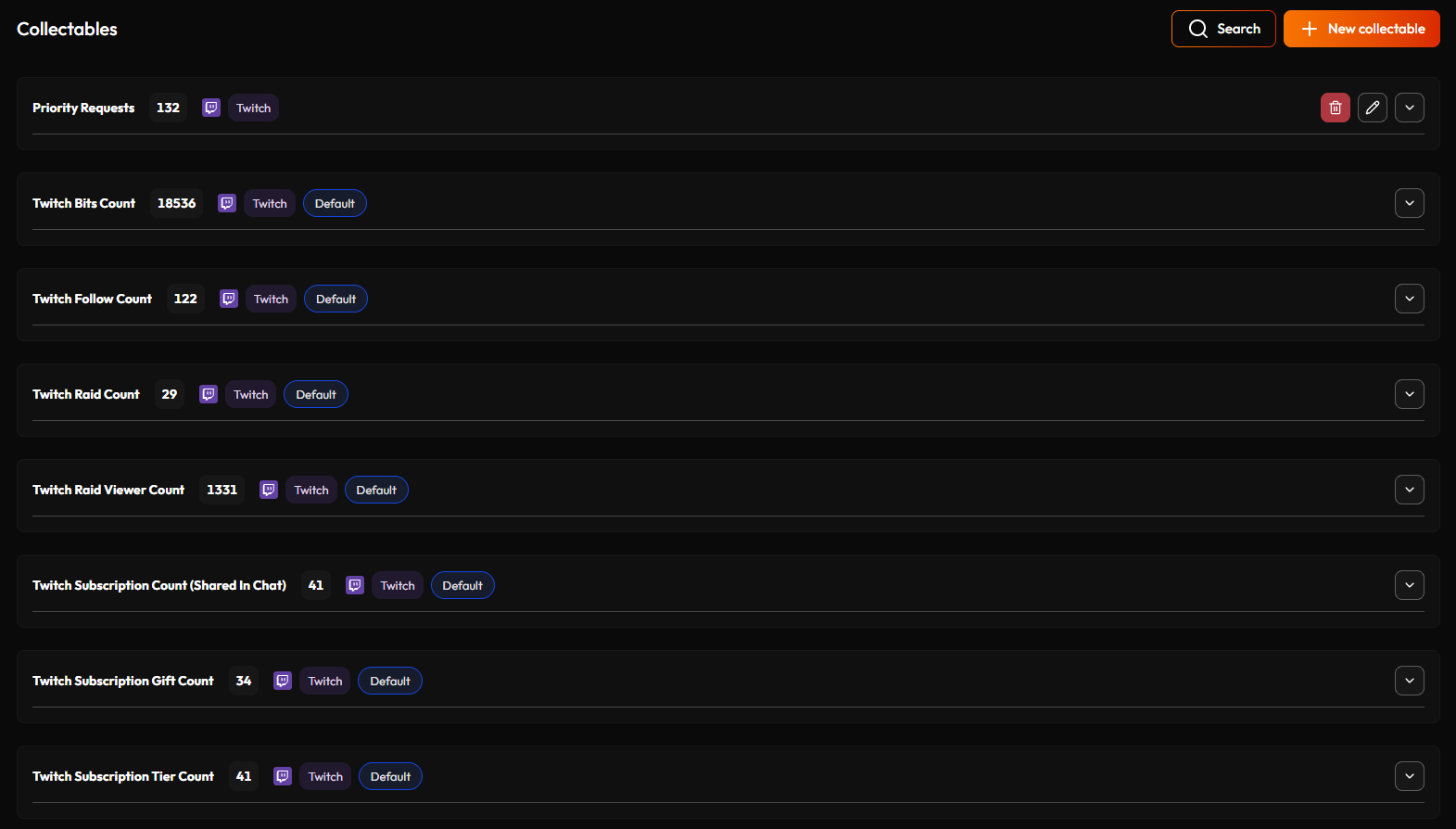
Every account starts with 7 Default Collectables StreamWizard tracks automatically, no setup needed: Twitch Bits Count, Twitch Follow Count, Twitch Raid Count, Twitch Raid Viewer Count, Twitch Subscription Count (Shared In Chat), Twitch Subscription Gift Count, and Twitch Subscription Tier Count. These are read-only running totals — handy as at-a-glance stats, but you can't create, edit, or manually grant them.
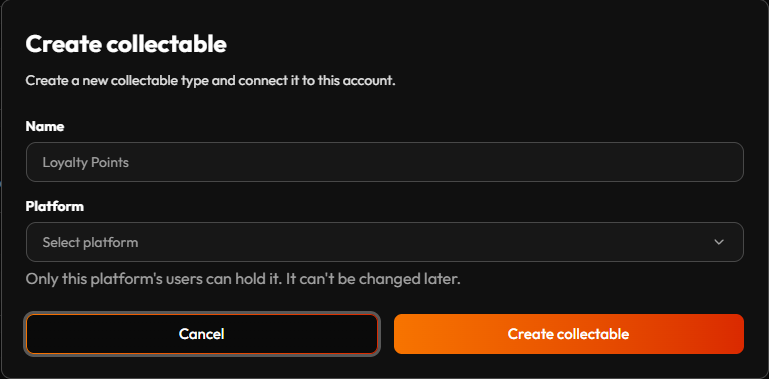
Custom Collectables are the ones you actually design. Click New collectable, give it a name and pick its Platform — that's it. Each name can only be used once on your account. Spending always takes a viewer's oldest points first, automatically. There is nothing to configure. See Spend collectable below for why that matters.
¶ One platform per Collectable
Points are held by people, and on StreamWizard a person always belongs to one platform: your Twitch viewers are Twitch users, your Discord members are Discord users, and nothing tells StreamWizard that two of them are the same person. So every Collectable belongs to one platform, and only that platform's users can hold it. A Twitch Collectable is earned and spent by Twitch viewers; a Discord one by members of your server.
You pick the platform when you create the Collectable. The list shows the platforms you've connected where people have their own accounts (Twitch or Discord, not OBS), and the choice is final. Want the same idea on two platforms, like loyalty points on Twitch and on Discord? Create one Collectable for each. The built-in Default ones are all Twitch.
¶ Finding a Collectable
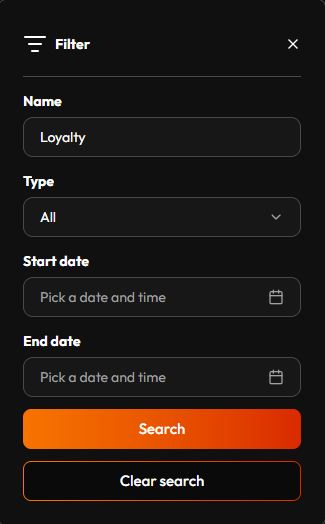
Once you've got a handful of custom Collectables, click Search, top-right of the Collectables page, to filter the list by any combination of Name, Type (Default or Custom), and a date range for when it was added. Once a filter's applied, a Clear search button appears in the same panel to drop it and get every Collectable back.
¶ How points actually move
There's no manual "give this viewer points" button here — everything flows through a Flow. Typically: an event happens (a cheer, a redeem, a chat command), and an action in the resulting Flow adjusts the balance of the person you point it at, usually whoever triggered it.
- Add collectable — takes an Amount and an optional Expires at. See Expiry: the Expires at input below.
- Spend collectable — takes an Amount and removes it from the viewer's balance, oldest points first. Worth knowing: it doesn't check whether they actually have that much first. A viewer with 3 points redeeming something that costs 10 just gets taken down to 0 — the Flow doesn't stop, and whatever the redeem was paying for still happens, cost or no cost.
- Collectable (a data loader) — reads a balance inside a Flow, as a plain Number. This is the piece that actually protects you from the case above: load the balance before Spend collectable runs, so you can check it yourself instead of finding out after the fact. It can also be narrowed to a From/To date range instead of an all-time total — handy for the event-currency idea above, tallying up just what was earned during the campaign window.
¶ Whose points: the User ID
All three nodes need to know whose points they work with, so each one has a User ID input (the Collectable node only in the User scope). Wire in that person's ID on the Collectable's platform:
- The person who triggered the event: the usual case. Read event data gives you their ID, for example Viewer Twitch ID on a Twitch event.
- Someone else, by name: a chatter types "!points @bob". Parameter 1 gives you "bob" (the @ is dropped for you), and a Retrieve with Get User By Name (Twitch) or Get Member By Username (Discord) turns that into bob's ID. If nobody is called bob, the lookup's Viewer Exists? (or Is Member?) says No and the ID comes back as "null", so check it first and let the Flow answer in chat.
- One fixed person: a Create value with the ID typed in. Handy in a timer Flow, which has no event and so no "who".
You can't publish a Flow while a User ID is left unconnected. Giving points to someone StreamWizard hasn't seen before just works: it checks with the platform that they exist and adds them. If the ID is empty when the Flow runs, Add collectable and Spend collectable are skipped and you get a notification (see Account). Add collectable does the same when nobody on that platform has that ID. Spend collectable has nothing to take from someone StreamWizard has never seen, so it simply does nothing, and the Collectable node reads 0 for them. The rest of the Flow runs either way.
¶ The nodes in the Flow Builder
Here is what the three nodes look like on the canvas. Flow Builder explains how to place and connect nodes, and the Nodes reference lists every field.
Collectable (under Data loaders) reads a balance. Scope is Streamer (the whole channel's total) or User (one person's total: whoever you wire into User ID, which only shows up in this scope). Filter type is Active (only points that are still unspent and unexpired) or All (every point ever given: the active ones plus the ones already spent or expired). Type is the Collectable to read, with its platform in brackets. The optional From and To limit it to points given in that time range (more on that just below). Its output is a number.
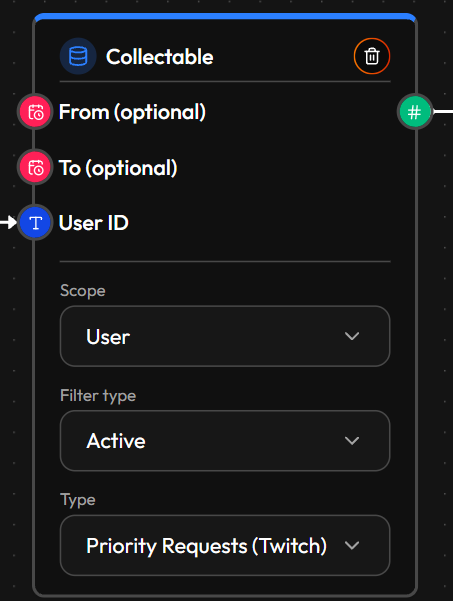
The time range, From and To. Both are optional and both take a date and time. Left empty, From means "from the very beginning" (there is no lower limit) and To means "up to right now", so an empty range counts everything. Wire in a datetime to narrow it: only points that were given between the two moments are counted. That is how you answer questions like "how much did this viewer earn during the campaign week?" (set From to the start of the week) or "in the last 24 hours?" (a Create value set to Now, run through a Delay of -1 day, into From). Whether a point is still active or has expired is always judged against right now, whatever To says.
Add collectable (under Actions) gives points. Amount is how many, Expires at (optional) is when they run out, User ID is who gets them, and Type is which Collectable. Like every action, it has an optional Condition and a Delay (s).
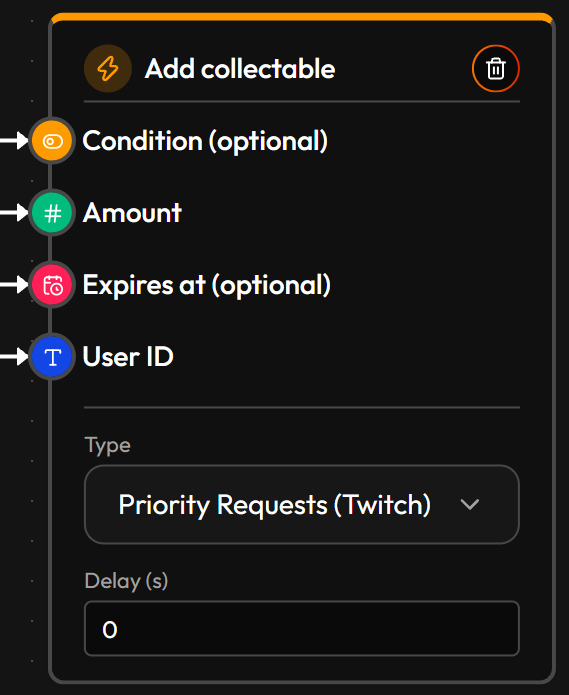
Expiry: the Expires at input. It takes the exact moment these particular points stop being usable.
- Left empty (the default): the points never expire. They stay in the viewer's balance until they are spent.
- How to set it: wire in a date and time. The usual way is a Create value set to Datetime and Now, run through a Delay (for example +30 days), into Expires at. Every point given by that Flow then lasts 30 days from the moment it was given.
- When to use it: whenever the points shouldn't pile up forever: an event currency that ends with the campaign, a bonus that has to be used within a week, or a "use it or lose it" reward that keeps viewers coming back.
- What happens at that moment: the points expire. They can't be spent anymore and no longer count in the Active total (you'll find them under Expired in the per-viewer breakdown).
Spend collectable (under Actions) takes points away. It needs an Amount, a User ID (whose points) and a Type, plus the usual optional Condition and Delay (s).
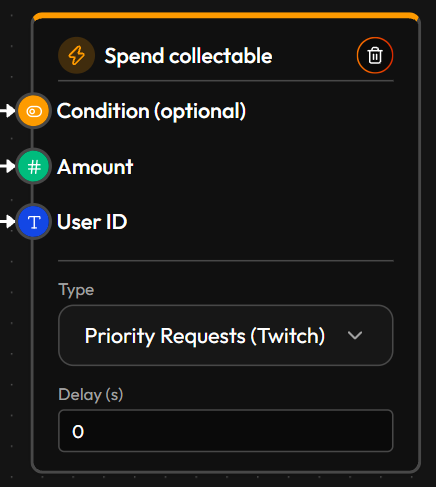
Oldest points go first. When a viewer spends points, StreamWizard automatically uses their oldest points before newer ones. You don't set this up. It matters because the oldest points are usually the ones that would expire soonest: spending them first means fewer points are lost to expiry, and points a viewer just earned are the last to be used. Say a viewer has 10 points that expire tomorrow and 10 fresh points that last a month. Spending 10 uses up the ones about to expire, and they keep the long-lasting ones.
Putting those two together is the whole trick. A Collectable node — Scope: User, with the chatter's ID (Read event data, Viewer Twitch ID) wired into User ID; Type: the Collectable you're charging for — feeds a Numeric comparison set to Greater or equals than, comparing that balance against the cost. Wire the comparison's yes/no answer into the Condition (optional) point on every action the redeem depends on: Spend collectable, and whatever else it's paying for, like the Play alert it pays for. Wire the same Viewer Twitch ID into Spend collectable's User ID, so it charges the same person. Now the whole thing only runs when the viewer can actually afford it. Skip the check, and there's nothing stopping someone from redeeming something they can't pay for — Spend collectable just takes whatever little they have and lets the reward through anyway.
See Nodes for the exact fields on each.
¶ Put it to work
The spell-token idea from above is a simple build: a chat-command Flow (say, "!fireball") checks the viewer's balance with the Collectable node, and if they have enough, Spend collectable takes the cost while Play alert shows the effect on stream. See Flow ideas for it worked out as a "mana" system, plus a "turn Bits directly into points" idea that needs no math at all, and a "!points @name" command that shows anyone's balance.
Curious who's actually got the most, right now, without building anything? Click the arrow on the right of a Collectable's row on this page — it expands into a per-viewer breakdown, columned Total / Active / Spent / Expired, no Flow or Dashboard widget required. Handy for a quick check mid-stream; build a Collectable top list widget on your Dashboard instead if you want that leaderboard visible the whole time you're live.
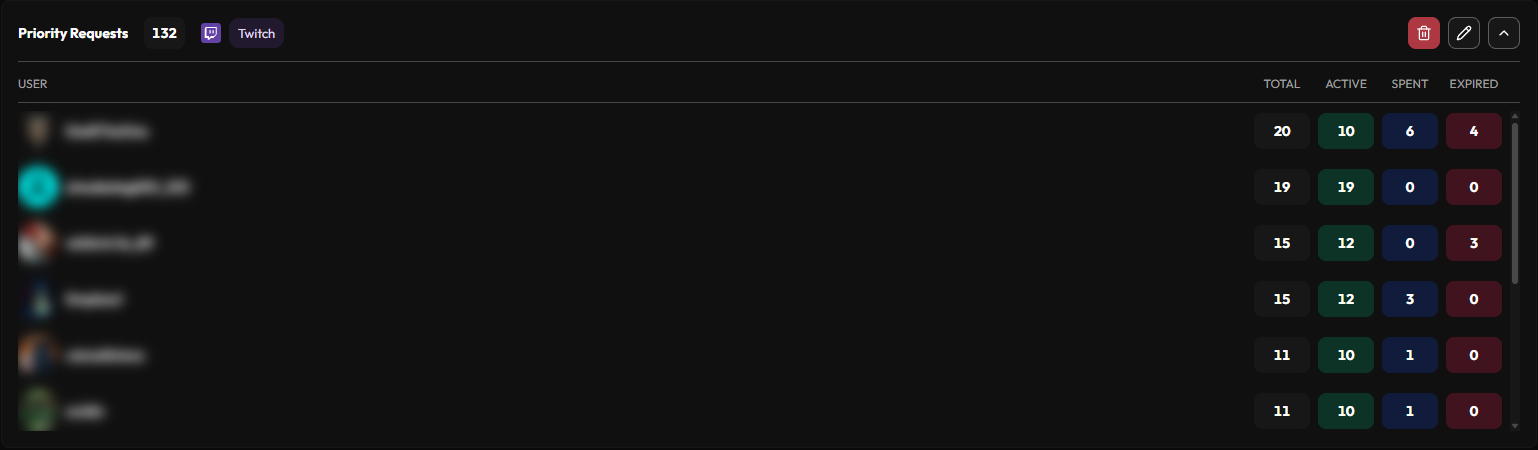
See it on your Dashboard. Once a Collectable has real activity, add a balance/history/trend/top-list widget to your Dashboard to watch it move.
¶ Good habits
Set Expires at on purpose, not by habit. Leaving it empty isn't a shortcut — it's how you make points that effectively never expire. Wiring in a moment days or weeks out is what actually creates urgency, like a currency that's only good until the stream ends.
Gate the spend, don't just fire it. Wire a Collectable balance check in front of Spend collectable so a viewer without enough gets told "not enough points" — instead of the redeem quietly draining them to zero and going ahead anyway.
Name it for what it does, not what it's worth. "Spell Tokens" tells a viewer what spending one gets them; "Points" doesn't.